KeyGear
  1. 1. Add a WiFi network to KeyGear
  2. 2. Open KeyGear Screen Share app
  3. 3. Pair Bluetooth to better input lag

STATUS: Waiting KeyGear

KeyGear

One of the world’s smallest emulator fingerhelds.

Too small? Clearly you don’t own a monocle. 🧐

52 × 23 mm

10CONSOLES→ SCREEN SHAREWEB→ MULTI­PLAYER2P→ microSDSTORE YOUR ROMS→ OPENSOURCE→

Controls

Start+Select=MENU

    Specs

    SCREEN0.85″ · 128 × 128
    CONTROLSD-pad · A · BStart · Select
    PROCESSORESP32-S3Dual core · 240 MHz
    AUDIOSpeaker
    PORTUSB-CPendrive mode and charging
    WIRELESSWi-Fi 2.4 GHzBluetooth LE
    STORAGEmicroSDUp to 32 GB · FAT32
    UPDATESOver the internetOTA · via Wi-Fi
    BATTERY180 mAh2 × 90 mAh · Up to 2 h, varies by emulator

    Screen Share

    Your game jumps to any browser: TV, PC, tablet or phone.

    01 · ON KEYGEARStart+SelectScreen Share
    02 · ON THE WEBOpen mykeygear.com
    03 · BACKStart+SelectContinue on KeyGear
    First time? How to link KeyGear with a browser→

    How to link KeyGear with a browser

    Only once: KeyGear and the browser remember each other.
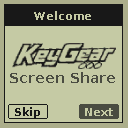
    1. 01 · ON KEYGEAR KeyGear wizard: Welcome Open KeyGear Screen Share The first time, the wizard opens by itself. Later: Start + Select → Wizard. ANext
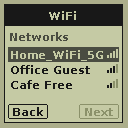
    2. 02 · WI-FI KeyGear wizard: Wi-Fi networks Pick your network The three strongest ones are listed. ↑↓ChooseAOK
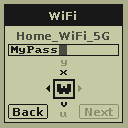
    3. 03 · PASSWORD KeyGear wizard: Wi-Fi password Type the Wi-Fi password Turn the wheel to pick each letter. ↑↓LetterANextStartDone
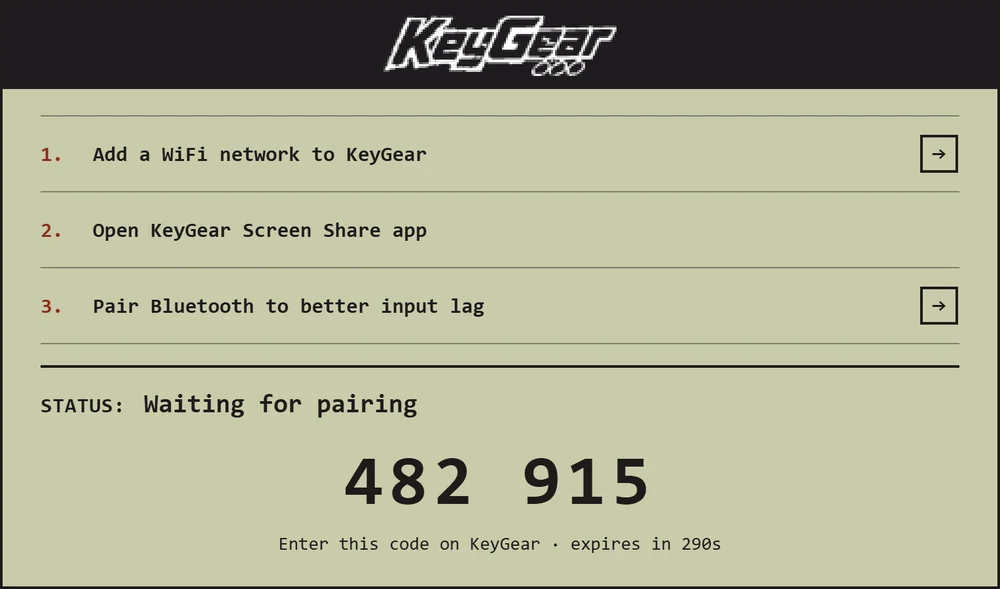
    4. 04 · ON THE WEB mykeygear.com showing the code 482 915 Open mykeygear.com On a TV, PC, tablet or phone. It shows a 6-digit code.
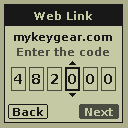
    5. 05 · ON KEYGEAR KeyGear wizard: entering the code Enter the code The one on the browser screen. ↑↓Digit←→MoveASend
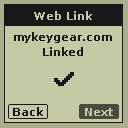
    6. 06 · DONE KeyGear wizard: linked Linked With mykeygear.com open, Start + Select → Screen Share in any game sends it there.
    EXTRA

    Less input lag: pair Bluetooth too

    Then its buttons reach the TV, PC or phone straight away, without going through the internet.
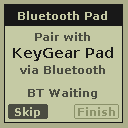
    1. 01 · ON KEYGEAR KeyGear wizard: Bluetooth Pad Bluetooth Pad The last window of the wizard. Later: Start + Select → Bluetooth → Pair new.
    2. 02 · ON YOUR DEVICE Pair “KeyGear Pad” In the Bluetooth settings of the TV, PC, tablet or phone.
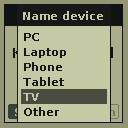
    3. 03 · ON KEYGEAR KeyGear: choose the device type Choose the device TV, PC, phone… so you can tell them apart later. ↑↓ChooseAOK
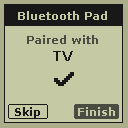
    4. 04 · DONE KeyGear wizard: paired with a TV Paired Its buttons now reach that device over Bluetooth. AFinish

    Emulated consoles

    Multiplayer

    Two KeyGears, two ways to play.

    01 · BETWEEN TWO KEYGEARS

    KeyGear vs KeyGear

    One USB-C cable. Each player on their own KeyGear.

    01Same game on both
    02USB-C to USB-C
    03Sync Game — automatic

    WORKS WITH

    NESSMSMDGBGBCGGLYNXNGP
    02 · ON A BIG SCREEN

    With Screen Share

    Both players on one screen: TV, computer, tablet or phone.

    OPTION 1 · ONE BLUETOOTH + USB-C CABLE

    OPTION 2 · TWO BLUETOOTH

    2 PLAYERS

    One screen

    NESSMSCOLMDPCE

    LINK CABLE

    Split screen

    GBGBCGGLYNXNGP

    NO SECOND KEYGEAR? PLAYER 2 ON A GAMEPAD OR KEYBOARD

    GAMEPAD USB or Bluetooth
    OR
    RSEL
    SELECT
    YSTA
    START
    T↑
    F←G↓H→
    D-PAD
    KALB
    A · B

    Build your game

    SDK

    Your own native KeyGear game, built with the KeyGear SDK and your AI.

    WASDD-pad OA PB QSelect EStart

    2D OR 3D

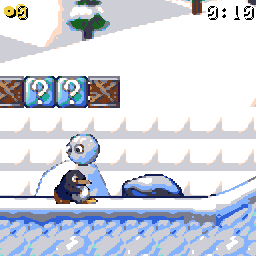
    SuperTux on the KeyGear: Tux, bonus blocks and a snowballSUPERTUX · ART CC BY-SA 4.0
    2D
    • Pixel-art sprites, maps and parallax skies
    • Up to 65,536 colors on screen
    • Zoomed-out view with SELECT
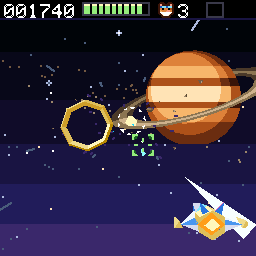
    Wheelwing in 3D: the ship flies past a ringed planetWHEELWING
    3D
    • Flat-shaded triangles with light and depth
    • About 700 triangles at 60 fps
    • Mixed with 2D: sky, HUD and menus

    THE SDK AT A GLANCE

    SCREEN128 × 12865,536 colors
    3D~700 trianglesLit, at 60 fps
    SPEED60 fpsUp to 4 ms of your code per frame
    SOUND16 voicesSynth music + WAV effects
    MEMORY256 KB RAMFor each game
    ROM4 MBOne .kg file
    SAVES4 slotsFor your saved games
    2 PLAYERSMultiplayerTwo KeyGears
    CODECWebAssembly, precompiled on KeyGear

    About

    KeyGear

    WEB dev · FIRMWARE TBD

    MADE BY

    MrFlower

    Electronic product designer for many years, from consumer devices to a military flight simulator. Creator of the MrCART and MrCART 128 multicarts for the Nintendo Virtual Boy. RC plane enthusiast.

    BUILT WITH

    Retro-GoNofrendoGnuboySMS PlusGwenesisPCE-GoHandy-GoRACE-GOPrBoomEmulatorJS

    Based on these projects, with tons of performance and game compatibility improvements.

    SPECIAL THANKS

    Maria

    My partner, for all the support.

    LICENSES · CONTACT

    TBD

    Open Source

    Read the code. Build it. Make it better.

    REPOSITORIES

    FIRMWAREKeyGearLINK TBD→
    WEBmykeygear.comLINK TBD→

    Donate

    KeyGear is free and open source. Like it? Support it.

    Support KeyGearMore consoles. More games. More fixes. DONATE →

    PLATFORM

    TBD
    KeyGear

    Add a WiFi network to KeyGear

    1. Connect KeyGear to your computer and select Pendrive on its screen. Or use a microSD reader.
    2. Open retro-go/config/wifi.json on the KeyGear drive in a text editor.
    3. Add each WiFi network name and password:
      "ssid0": "MyWiFi_1",
      "password0": "MyPass_1",
      "ssid1": "MyWiFi_2",
      "password1": "MyPass_2"
    4. Save and safely eject the drive. Reinsert the microSD if removed.
    5. On KeyGear, open KeyGear Screen Share and press Start + Select.
    6. Select WiFi, then your network.
    7. Press B to close the window.

    Pair Bluetooth to better input lag

    1. On KeyGear, open KeyGear Screen Share and press Start + Select.
    2. Select Bluetooth.
    3. Select Pair new.
    4. On your computer, phone, tablet, or TV, open Bluetooth settings and search for devices.
    5. Select KeyGear Pad to pair.
    6. On KeyGear, choose the type of device you paired.
    7. Press B to close the window.

    You can pair multiple devices. Choose the one to use from the paired devices list.